
FII-PRA006/010开发板硬件实验一
以一位全加器为例介绍如何利用开发板进行板载实验。一位全加器的VHDL代码如下:
|
1 2 3 4 5 6 7 8 9 10 11 12 13 14 15 16 17 18 19 20 21 22 23 24 25 26 27 28 29 30 31 32 33 34 35 36 37 38 39 40 41 42 43 44 45 46 47 48 49 50 51 52 53 54 55 |
---------------------------------------------------------------------------------- -- Company: Fraser Innovation Inc -- Engineer: tim Zhuang -- -- Create Date: 2022/05/21 00:09:20 -- Design Name: -- Module Name: top_logic - Behavioral -- Project Name: full addition -- Target Devices: -- Tool Versions: -- Description: -- -- Dependencies: -- -- Revision: -- Revision 0.01 - File Created -- Additional Comments: -- ---------------------------------------------------------------------------------- --library IEEE; --use IEEE.STD_LOGIC_1164.ALL; -- Uncomment the following library declaration if using -- arithmetic functions with Signed or Unsigned values --use IEEE.NUMERIC_STD.ALL; -- Uncomment the following library declaration if instantiating -- any Xilinx leaf cells in this code. --library UNISIM; --use UNISIM.VComponents.all; entity full_addition1 is generic( WIDTH_IN: integer:=1; WIDTH_OUT: integer:=1 ); port ( ci : in bit; a : in bit; b : in bit; sum : out bit; co : out bit ); end full_addition1; ARCHITECTURE arch_fadd1 of full_addition1 is begin sum <= ci XOR a XOR b; co <= (a AND b) OR (ci AND (a XOR b)); end arch_fadd1; |
- FII-PRA006/010 硬件下载及实验遵循如下步骤:
- Quartus II新建工程
- 编辑代码
- Analysis and elaboration,排除语法错误
- 仿真(可选),排除逻辑错误
- 管脚锁定
- 生成及编辑SDC文件(本章内容,可以不需要)
- JTAG 下载器设定及下载界面设置
- 硬件调试实验(试验)
由于1-6在前面的章节中已有详细的介绍,本节内容主要介绍7,8两个部分。
- JTAG下载器设定及下载界面设置
- 将文件jtag_hw_mbftdi_blaster64.dll 复制到Quartus II 安装目录下的bin64目录下,如果是windows 32系统则使用jtag_hw_mbftdi_blaster32.dll 文件。DLL文件可以在文件下方的附件下载。
- 将FII-PRA006或FII-PRA010通过USB cable连接到电脑上,如如图1
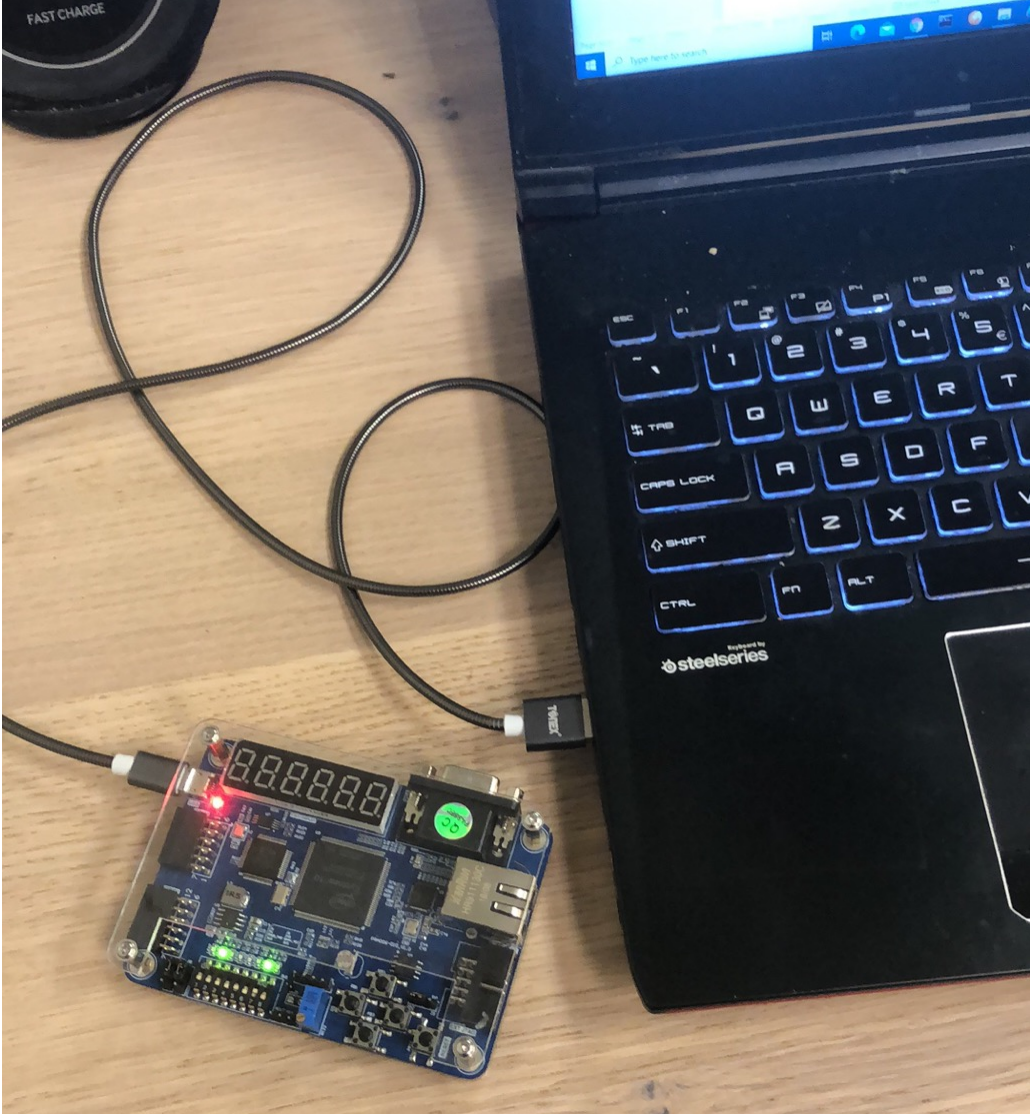
图1
-
- 在Quartus II菜单 Tools–>Programmer 或工具栏按钮(如图2:),跳出图3界面
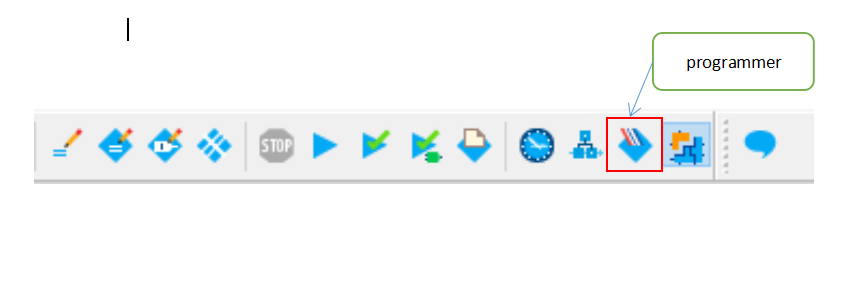
图2
-
- 在第一次启动编程界面如图3,显示No Hardware,点击Hardware Setup…,跳出图4对话框
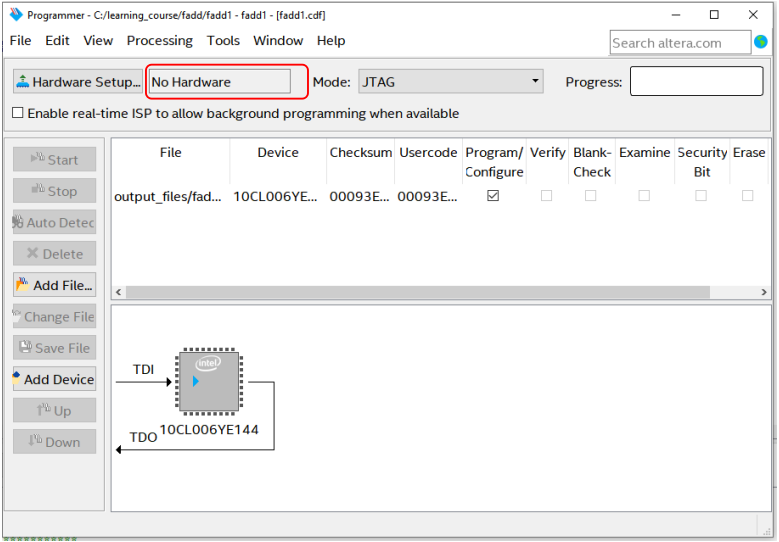
图3
-
- 如果按上面正常的步骤,JTAG的设置会自动匹配如图4所示,点击close关闭,返回下载主界面。
- 如图5,如果在file区域没有显示如上图所示的文件(一般情况下,如果新建工程各项设置正确,则下载文件,以及器件类型都是与工程设置一致的),点击Add file在跳出的界面中选择fadd1.sof文件。
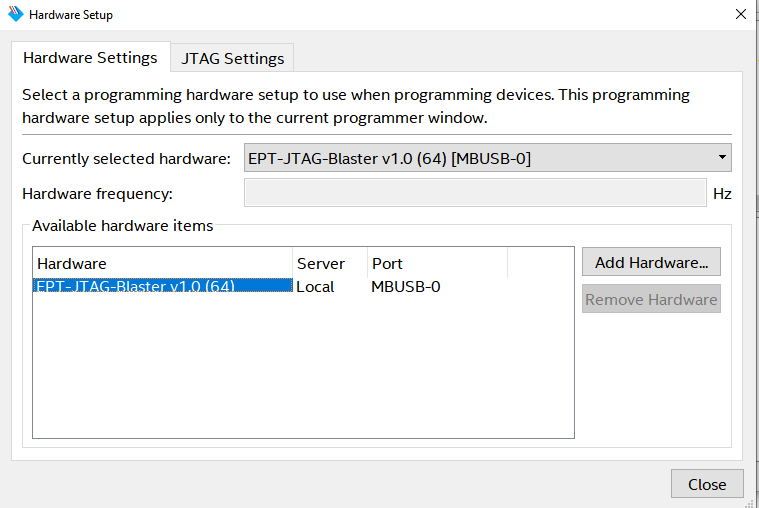
图4
-
- 在图5中点击Add File,选择下载文件。如图6
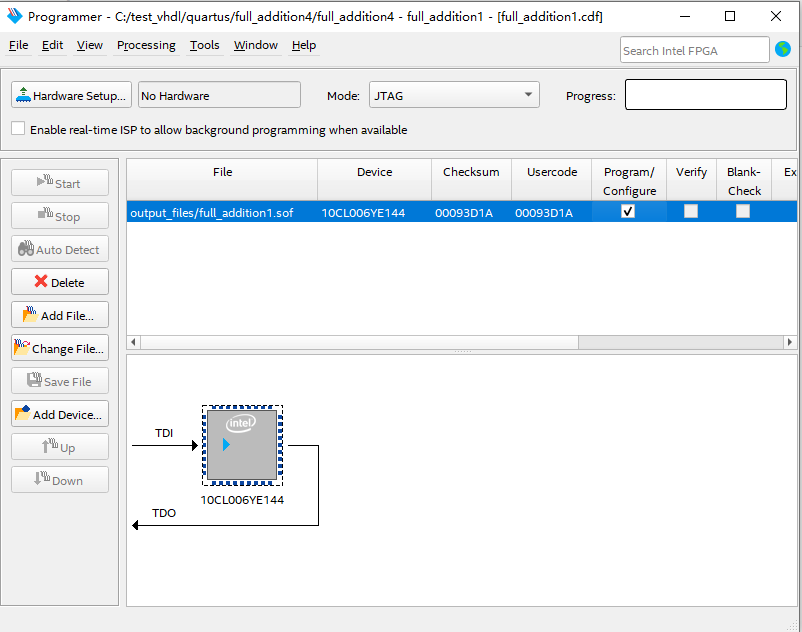
图5
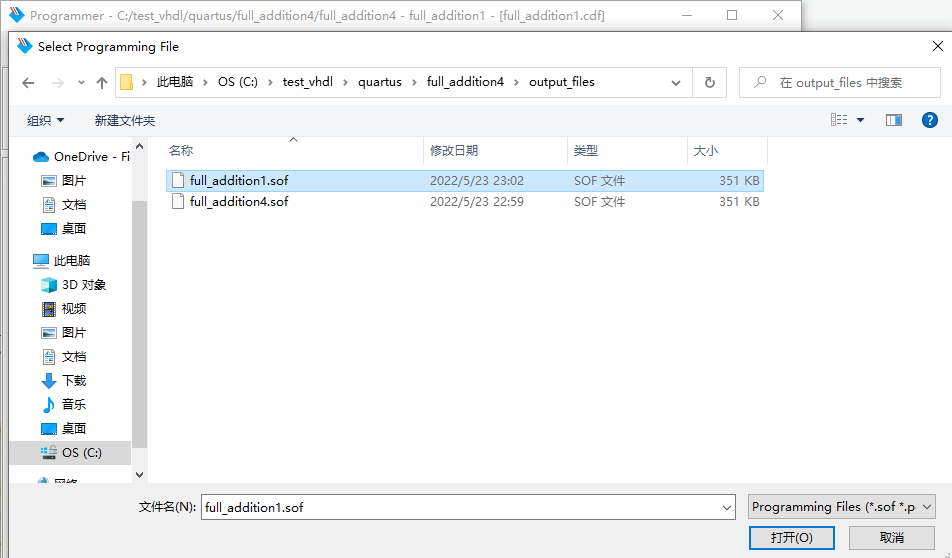
图6
-
- 按照以上步骤设置后,在图5的界面下点击start,下载文件将会下载到开发板的FPGA中并运行。
- 拨动开关,观察不同开关输入(sw1,sw2,sw3)情况下一位全加器对应的输出结果(LED5,LED6,LED7),如图7.
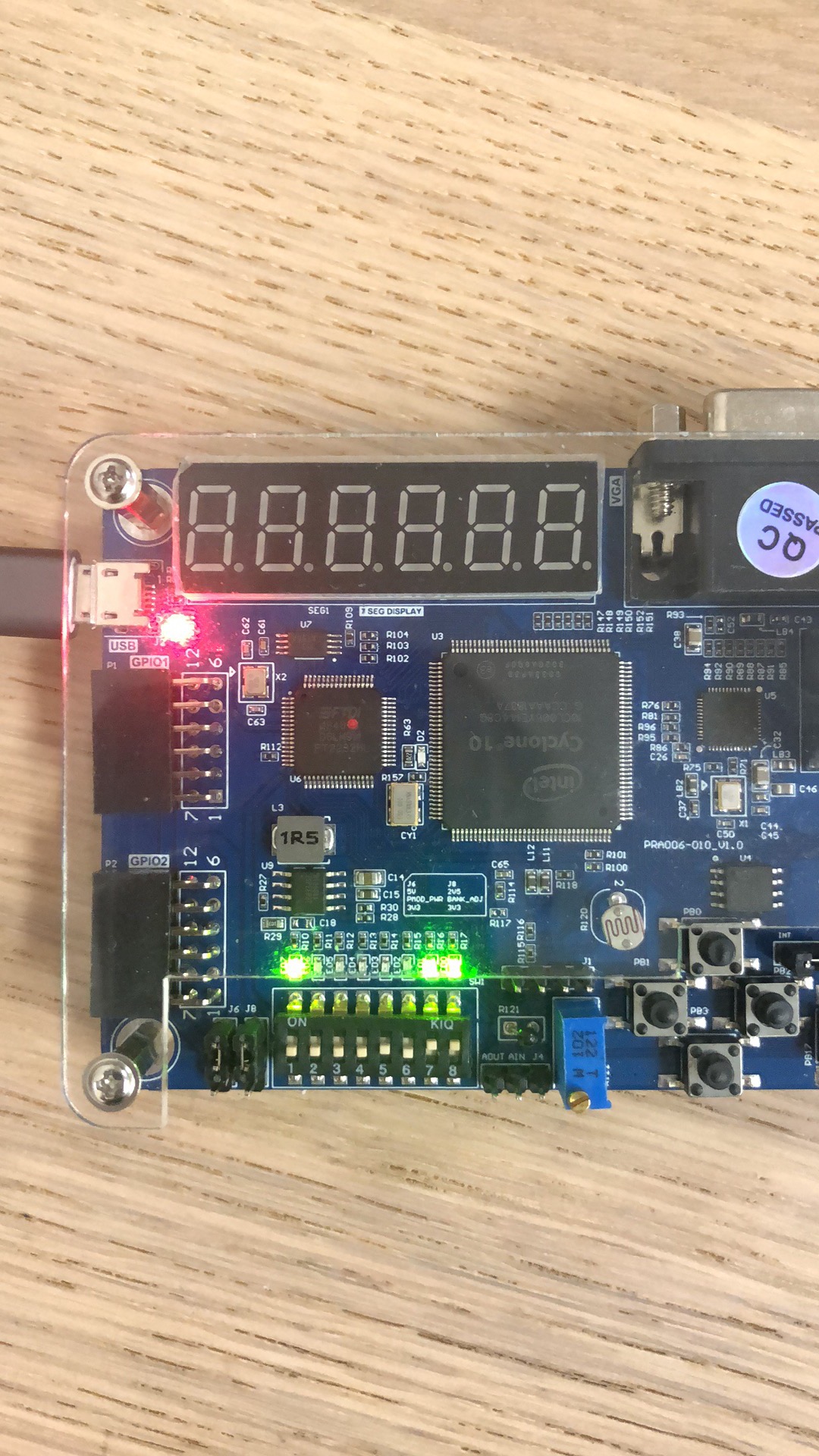
图7
-
- 写出实验总结报告